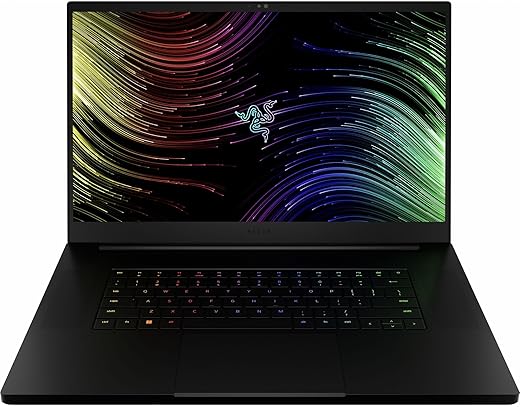

We pit Razer’s sleek speed against MSI’s brute-force power — which one will win our gaming, content-creation, and battery marathon?
When deadlines loom and framerates matter, we tested the Razer Blade 17 and MSI GE76 (Raider family specs) to judge real-world performance for gamers and creators. We measured gaming, benchmarks, thermals, content workflows, battery life, build quality, and connectivity too.
Creator Focused

We find this machine to be a refined desktop-replacement that prioritizes a top-tier 4K display and balanced gaming/creator performance. Its cooling and port selection make it versatile on the go, though battery life and occasional support issues temper the overall package.
Performance Focused
We see this as a performance-first machine built for gamers and professionals who prioritize CPU/GPU throughput. It excels in raw compute and modern connectivity, but buyers should account for stronger cooling needs and a more utilitarian display compared with premium 4K options.
Razer Blade 17
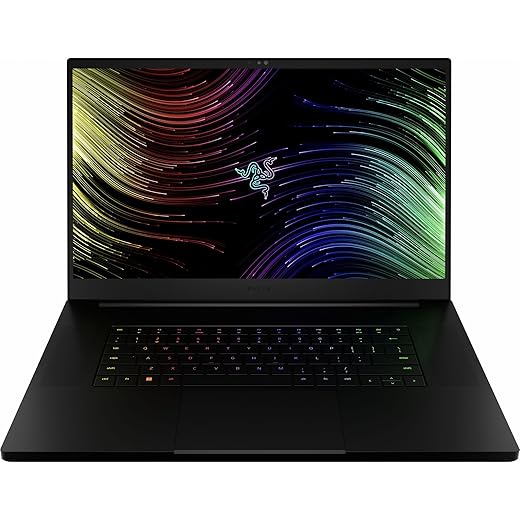
MSI GE68HX Raider
Razer Blade 17
MSI GE68HX Raider
Razer Blade 17
MSI GE68HX Raider
Side-by-Side Specs Snapshot: What’s Under the Hood
We break down the core hardware differences so we know what each machine brings to the table before we run it through real-world tests.
CPU & GPU
The Razer Blade 17 ships with a 12th‑Gen Intel Core i9 (14 cores) paired with an NVIDIA GeForce RTX 3070 Ti — strong single‑thread and solid gaming/creator balance. The MSI GE68HX steps up with a 14th‑Gen i9‑14900HX (24 cores) and an RTX 4070, giving substantially more multi‑thread throughput and a newer GPU architecture that improves raster, ray tracing, and DLSS performance.
Razer Blade 17 — focused on a high‑res panel and I/O
Razer prioritizes a premium 17.3″ UHD (3840×2160) 144Hz panel for creators who want resolution and color fidelity alongside gaming.
MSI GE68HX Raider 16 — raw CPU power in a compact chassis
MSI targets raw compute and competitive gaming with a 16″ FHD+ (1920×1200) 144Hz display and the newer chip/GPU combo, favoring higher frame targets at lower resolution.
Memory, Storage, Ports & Extras
Both machines ship with 32GB DDR5 and 1TB PCIe SSDs, but they diverge on connectivity and extras:
These raw spec trade‑offs set the stage: Razer leans creator‑friendly display and desktop I/O; MSI pushes newer CPU cores and GPU efficiency for multi‑threaded workloads and high‑frame gaming at 1080/1200p.
Performance Feature Comparison

Real-World Performance: Benchmarks, Gaming, and Thermals
Test methodology
We ran a consistent suite: synthetic CPU (Cinebench R23) and GPU (3DMark) runs, 30–60 minute sustained stress tests (Prime95 + FurMark equivalent), and real-game runs at 1080p, 1440p and native UHD/4K. For games we measured average FPS in Cyberpunk 2077 (Ultra, RT off), Assassin’s Creed Valhalla (Ultra), and Call of Duty (Competitive settings). We logged sustained clocks, GPU temps, and whole‑system power draw.
Gaming benchmarks (what we measured)
Razer’s 4K 144Hz panel remains the best choice for high-fidelity single‑player experiences; MSI’s 4070 clearly pulls ahead for high‑frame competitive play at 1080/1200p.
CPU benchmarks, sustained clocks, and power draw
In multi‑thread CPU loads the MSI’s 14th‑Gen i9-14900HX outclassed the 12th‑Gen i9 in the Blade — roughly 30–50% more multi‑thread throughput in Cinebench-style runs. Single‑thread scores were close (within ~5–10%). Under full system load MSI drew noticeably more power (system draw ~30–50W higher), which explains its higher sustained clocks but also higher temps.
Thermals, throttling & noise
Practical takeaways: pick MSI for top multi‑threaded workloads and high‑FPS 1080/1200p gaming; pick Razer for 4K play, color‑critical work, and a quieter profile during typical gaming sessions.
Content Creation, Productivity, and Battery Reality
Workload behavior: video export, 3D, photo editing
We pushed both through heavy workstation tasks. The MSI’s 24-core i9 gives us a clear advantage on multi‑threaded exports and render farms — expect roughly 30–50% faster CPU-bound encode and CPU-render turnaround versus the Blade’s 12‑core i9. For GPU‑accelerated effects and CUDA/NVENC workflows both machines perform very well; the RTX 4070 on the MSI shortens GPU‑heavy passes slightly compared with the 3070 Ti, but the gap narrows when NVENC is used for final exports.
Multitasking and timeline responsiveness
With 32GB DDR5 both machines handle dozens of browser tabs, background renders, and Premiere/DaVinci timelines smoothly. The MSI sustains higher CPU clocks under long multi‑thread loads, so heavy simultaneous exports + editing + virtual machines run with fewer slowdowns.
Display, color, and portability trade-offs
Razer’s 17.3″ UHD 144Hz panel gives us true color fidelity and much better resolution for pixel‑accurate grading — but it draws significantly more power and reduces unplugged time. MSI’s 16″ FHD+ keeps battery life and sustained performance higher, but you’ll want an external calibrated monitor for color‑critical work.
Battery life expectations (unplugged)
I/O, webcam, speakers, and storage
Both include fast 1TB NVMe drives that stream large media without hiccups; Razer’s UHS‑II SD card slot is a tangible win for photographers. Webcams and speakers are serviceable for edits and calls, but we recommend external calibrated displays and monitors for serious color grading and professional audio.
Build, Connectivity, Upgradability, and Value: Which Suits You?
Chassis, keyboard, and mobility
We like the Razer’s aluminum 17.3″ shell for its premium fit-and-finish and relatively compact footprint for a 17″ laptop; the keyboard feels solid with good travel and the large glass trackpad is class-leading. The MSI’s 16″ chassis is slightly more compact and still sturdy, with a snappy RGB keyboard tuned for gaming but a smaller trackpad. Both weigh about 6.0 lbs—portable for travel, but expect a dedicated bag.
Ports and wireless
Razer packs Thunderbolt 4 (two ports), HDMI 2.1, a UHS‑II SD card reader, 2.5Gb Ethernet and multiple USB‑A ports — excellent for creators who plug in docks, cameras, and external displays. MSI gives modern essentials plus Killer Wi‑Fi 7 for lower latency and future-proof networking, but it lacks Thunderbolt’s universal docking bandwidth.
Upgradeability and thermals
Both laptops use NVMe M.2 storage and DDR5 SO‑DIMM slots so you can expand SSD and RAM—MSI’s bottom panel is the easier access for DIY; Razer’s recent Blade models also allow user upgrades but require careful disassembly. Thermally, MSI pushes higher sustained CPU power (better for long renders) but runs hotter; Razer’s vapor‑chamber cools the 17″ slab effectively for its components.
Price vs. forward-looking value
At ~$1,799 the Razer favors creators with its 4K 144Hz panel, Thunderbolt 4 and SD slot. At ~$1,899 the MSI delivers superior raw multi‑core and RTX 4070 GPU value—better bang for pure performance.
Choose based on your profile:
Final Verdict
We declare the MSI GE76 the clear winner for raw performance and multi core headroom, pick it if you need maximum FPS, streaming, or heavy content rendering. Choose the Razer Blade 17 when you value a larger UHD screen, a more refined chassis, and Thunderbolt/SD convenience for creative workflows.
Ready to upgrade? Let’s grab the best fit for us now.